

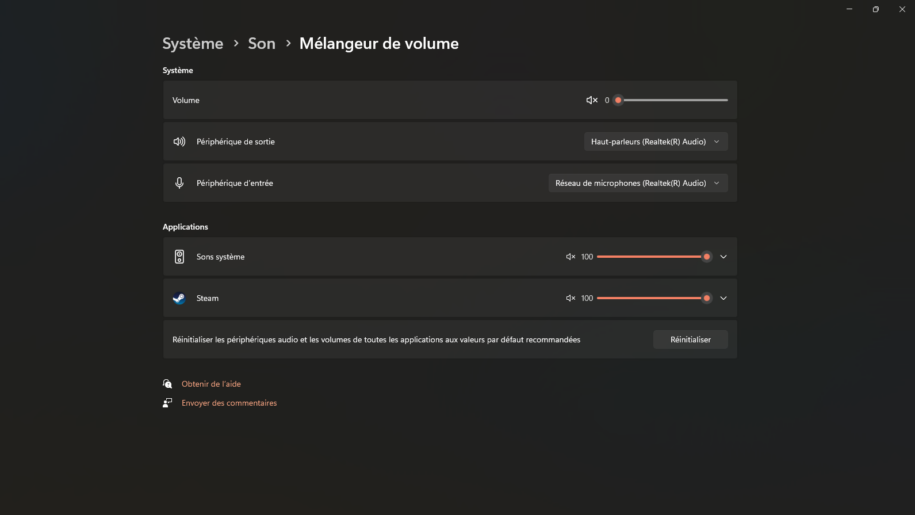
You work on a computer with multiple monitors and want to manage the volume of your different applications more effectively. Indeed, it often happens that the sound of your video is much too loud compared to your video game. However, there are several software and hardware alternatives to the Windows audio mixer to adjust the volume of each program individually. This allows you to adjust the sound of your video and your game separately, according to your preferences.
Sommaire
- Use the built-in audio mixer in Windows 11
- Adopt EarTrumpet for more control
- Berclet the audio mixer by application
- Explore Volume² for extended features
- Manage sound on macOS with SoundDesk
- Simplify your sound management on Mac with Sound Control
- Easily control the volume on Linux with Volctl
1. Use the built-in audio mixer in Windows 11
With a new feature in Windows 11, you can manage the sound volume on an application-by-application basis. This feature takes the form of an audio mixer accessible from the notification area or system settings. Each application in use has its own volume slider, which you can adjust independently of other programs.
For example, you can lower the volume of a game without affecting the volume of your music player. Similarly, you can mute a video without silencing your video conferencing software. This way, you can easily adjust the audio to your needs and preferences.
2. Adopt EarTrumpet for more control
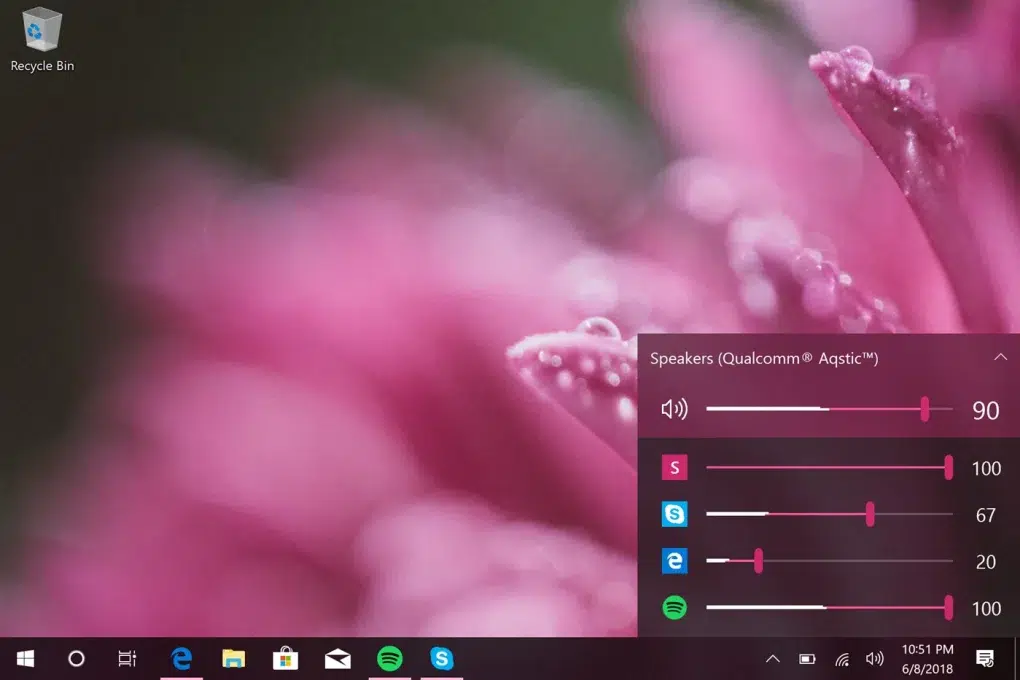
Source : softonic
EarTrumpet is an audio mixer software designed to replace the default Windows audio mixer. It allows you to control individual volume levels for each of your applications, change audio outputs, and choose which audio devices you want as the default.
With EarTrumpet, you can view the audio volume of each application. This allows you to fine-tune the volume for each program. Furthermore, it makes it easy to move applications between different playback devices. For example, you can switch music from your laptop to your speakers without changing the default playback device. In addition, it reduces the number of clicks required to access audio settings compared to the Windows mixer.
3. Berclet the audio mixer by application
Berclet is an advanced French hardware solution for application-based audio mixing. It allows you to lower the volume of a specific application without disrupting your ongoing work. Unlike other solutions, Berclet simplifies this process. This allows you to easily adjust the sound settings by simply selecting the application or your preferred output device with a simple click of a button, without needing to return to the Windows desktop. Then, simply drag the slider to adjust the volume instantly. This allows you to continue your activities without interruption.
In addition, Berclet includes an automated volume slider feature. After adjusting the volume of Google, for example, and switching to another application, the volume automatically readjusts. The smart motorized sliders remember the level you previously set.

4. Explore Volume² for extended features
Volume² is a free utility that lets you control your PC’s volume using the mouse wheel, keyboard shortcuts, and more. It offers a customizable interface for adjusting the sound volume of each application and includes advanced options such as scheduling volume changes at specific times.
5. Manage sound on macOS with SoundDesk
SoundDesk is a professional macOS application that transforms your Mac into a complete audio mixing studio. It allows you to control the volume of each application individually, route audio to different devices, and apply sound effects in real time. This makes SoundDesk ideal for macOS users seeking an advanced audio management solution.

Try Berclet now!
Berclet, your all-in-one audio solution
6. Simplify your sound management on Mac with Sound Control
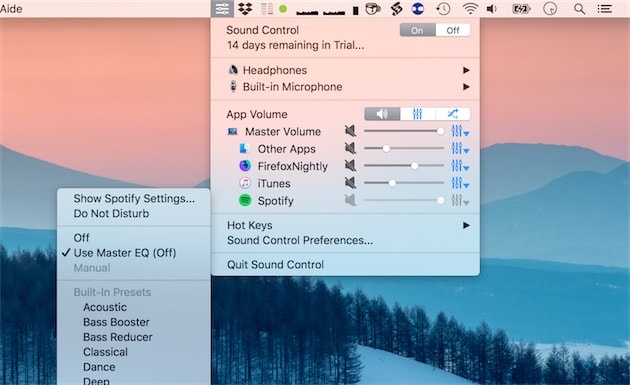
Source : macg.co
Sound Control is a macOS application that allows you to control the volume of each application individually. It offers an intuitive user interface and makes adjusting volume levels easy. Sound Control also allows you to quickly switch audio devices and apply custom audio effects.
7. Easily control the volume on Linux with Volctl
Volctl is a lightweight Linux application that offers a simple graphical interface for adjusting the volume of each application. Volctl allows you to manage volume intuitively and efficiently, making sound management on Linux systems much more accessible.
Conclusion
Overall, by using these tools, you can easily adjust the sound volume of each application on your computer. This allows you to create a customized audio experience. Tailor the audio to your needs and preferences.
Keep your focus on your part, Berclet will take care of the sound.
Berclet gives you complete control over the volume of your applications, without leaving your game.
